
role
UX Designer
timeline
Sept 2024 - Dec 2024
project OVERVIEW
Finding the perfect place to eat, every time.
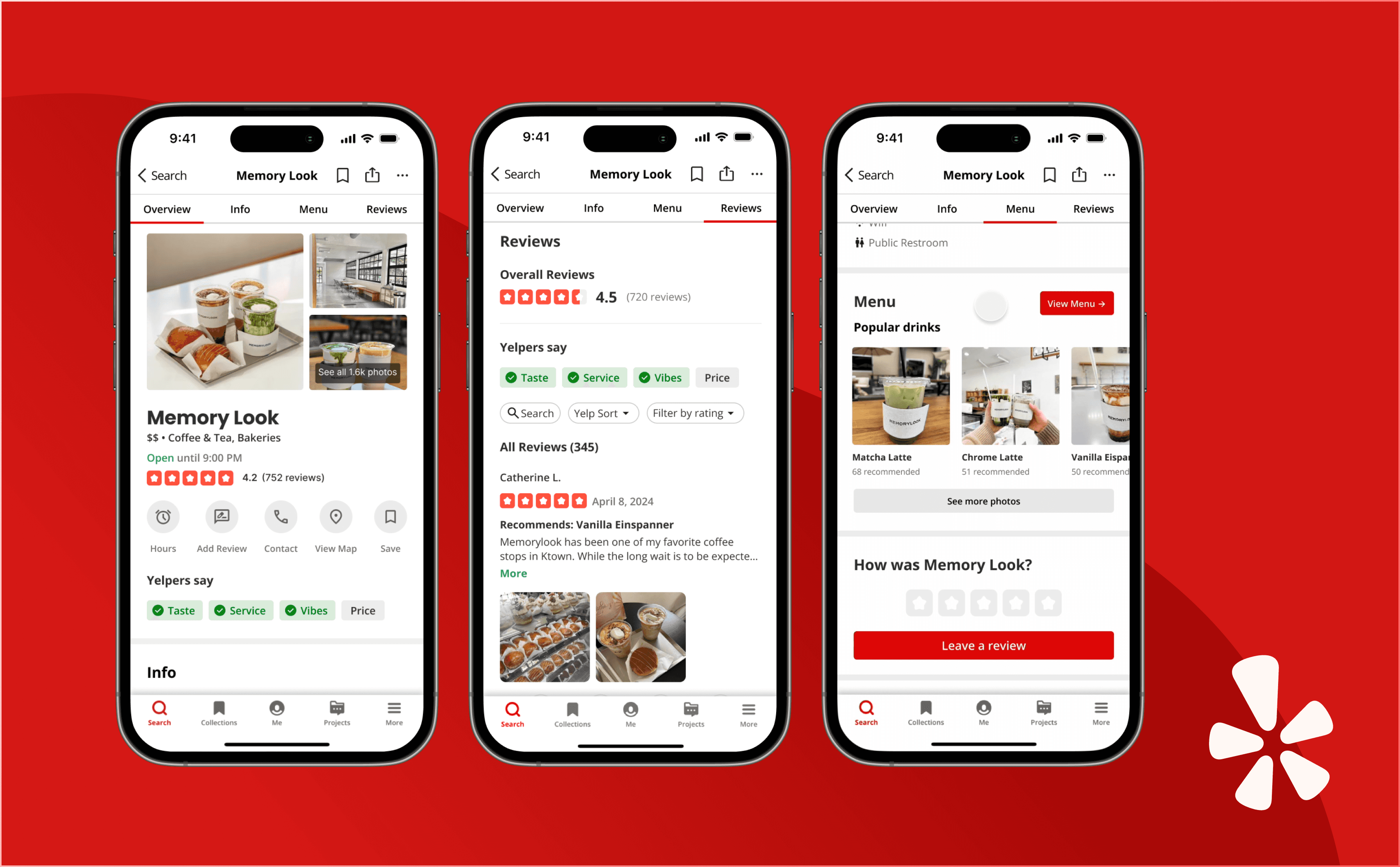
Yelp is a leading discovery platform with over 1.1 million ratings and ranks in the top 10 Food & Drink apps on iOS. My team audited the platform through heuristic evaluations and user testing, then redesigned features to improve usability while maintaining Yelp's familiar brand identity and user experience.
key issues
Complex Navigation: The current structure makes it difficult for users to locate essential restaurant functionalities, leading to frustration and confusion.
Hidden Value: Users struggle to identify which features are relevant to their needs, causing them to miss helpful tools buried in the clutter.
Feature Overload: Additional features like reservations, delivery/takeout, projects, friends, and collections distract from core restaurant discovery, potentially deterring users.
opportunities
Simplify information hierarchy
Refine navigation by cutting down on repeated flows
Reorganize content so there's more breathable negative space
Restructuring Restaurant View
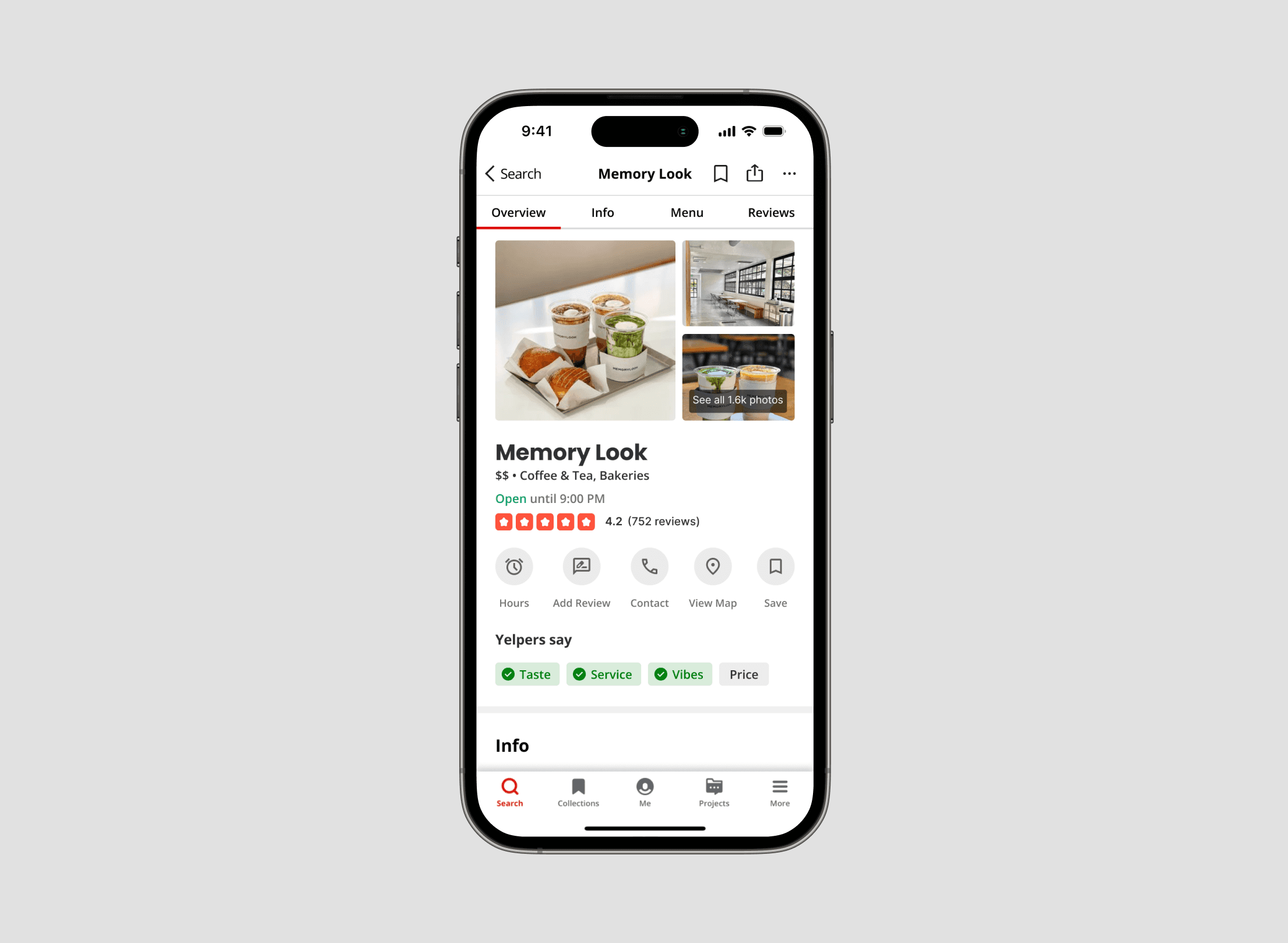
Users struggled to quickly assess restaurants due to poor information hierarchy in the app. We redesigned the restaurant view to prioritize photos and overall sentiment, making it easier to evaluate options at a glance.
Most Positive & Most Critical Reviews
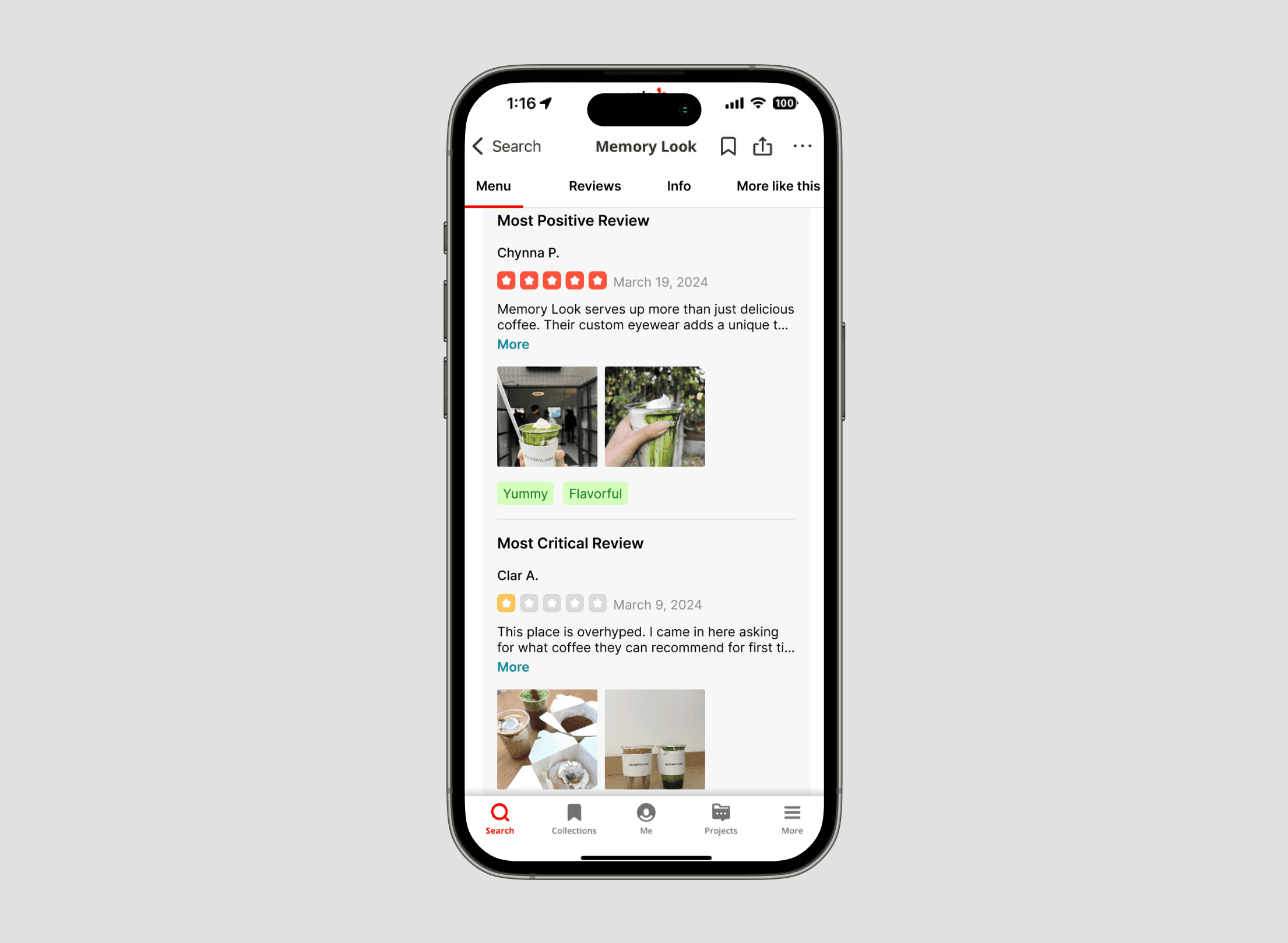
To help users navigate hundreds of reviews, we highlighted the most positive and most critical reviews upfront, giving them a view of both ends of the spectrum without endless scrolling.
Colored Tags
To identify key sentiments from reviews, we added color-coded tags that highlight main themes and opinions at a glance. This visual system allows users to scan review content faster without reading every word, making it easier to assess the restaurant.
Digitalized Menu
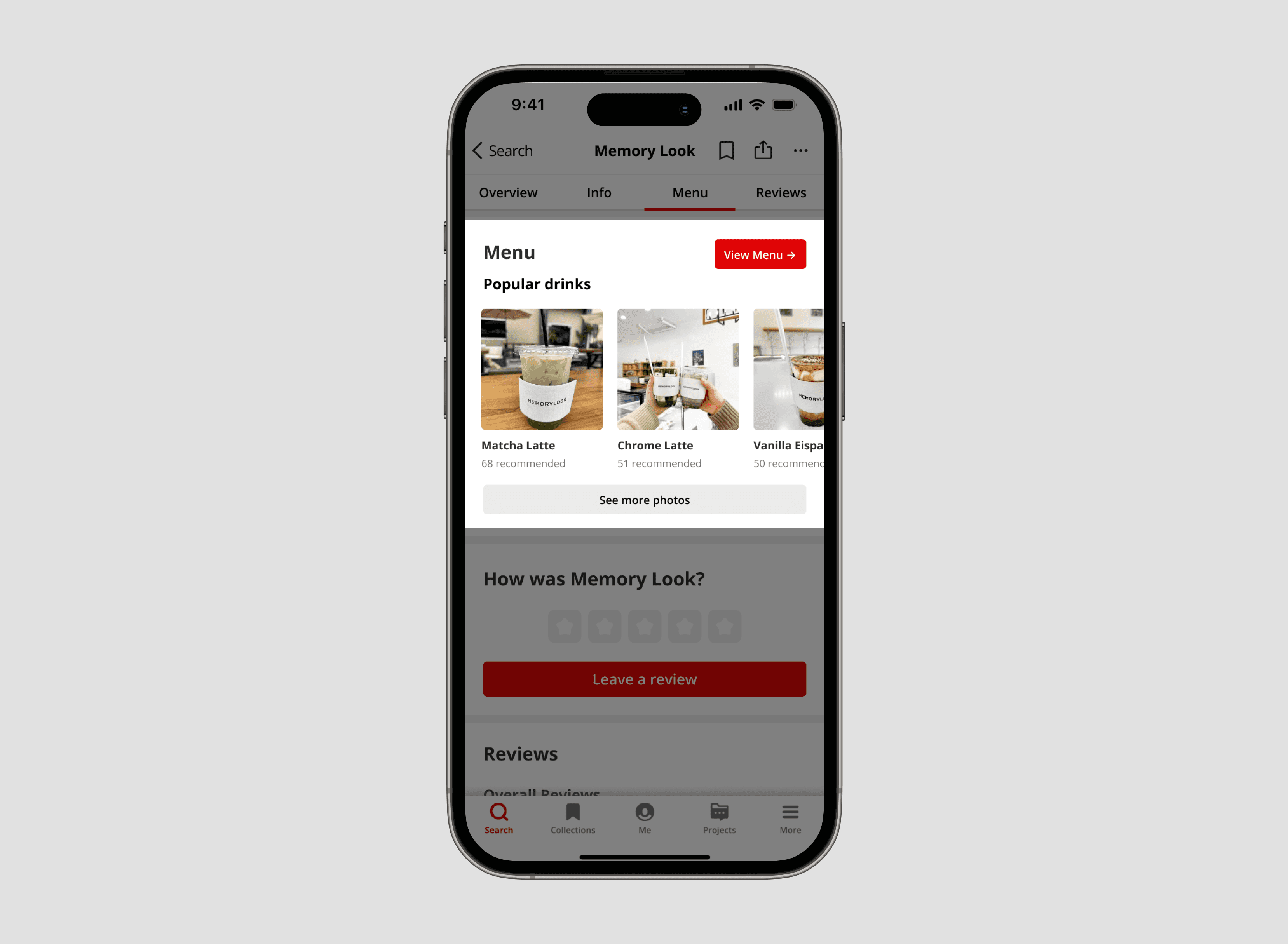
The original "See full menu" button was inconsistent—sometimes linking to external websites, other times showing text-only lists.
We split this into 2 clear and reliable options: a "Menu" button for a standardized digital menu, and a "See more photos" button for user-uploaded images.
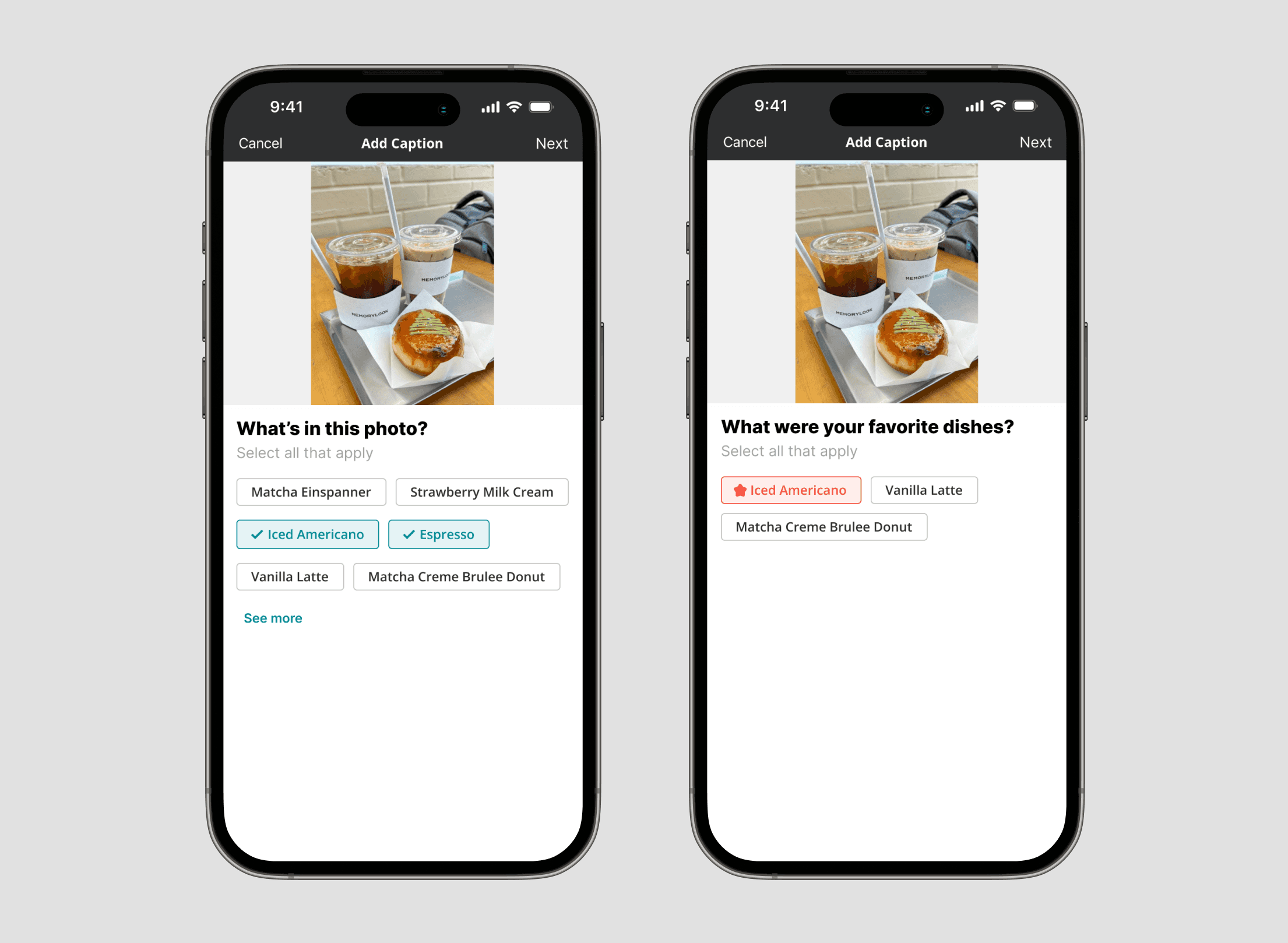
Leaving Reviews Faster
We introduced menu item tags to the review input flow for users to quickly identify what they’re reviewing, select their favorite items, and maintain consistency across reviews, making feedback easier to contribute and more direct.
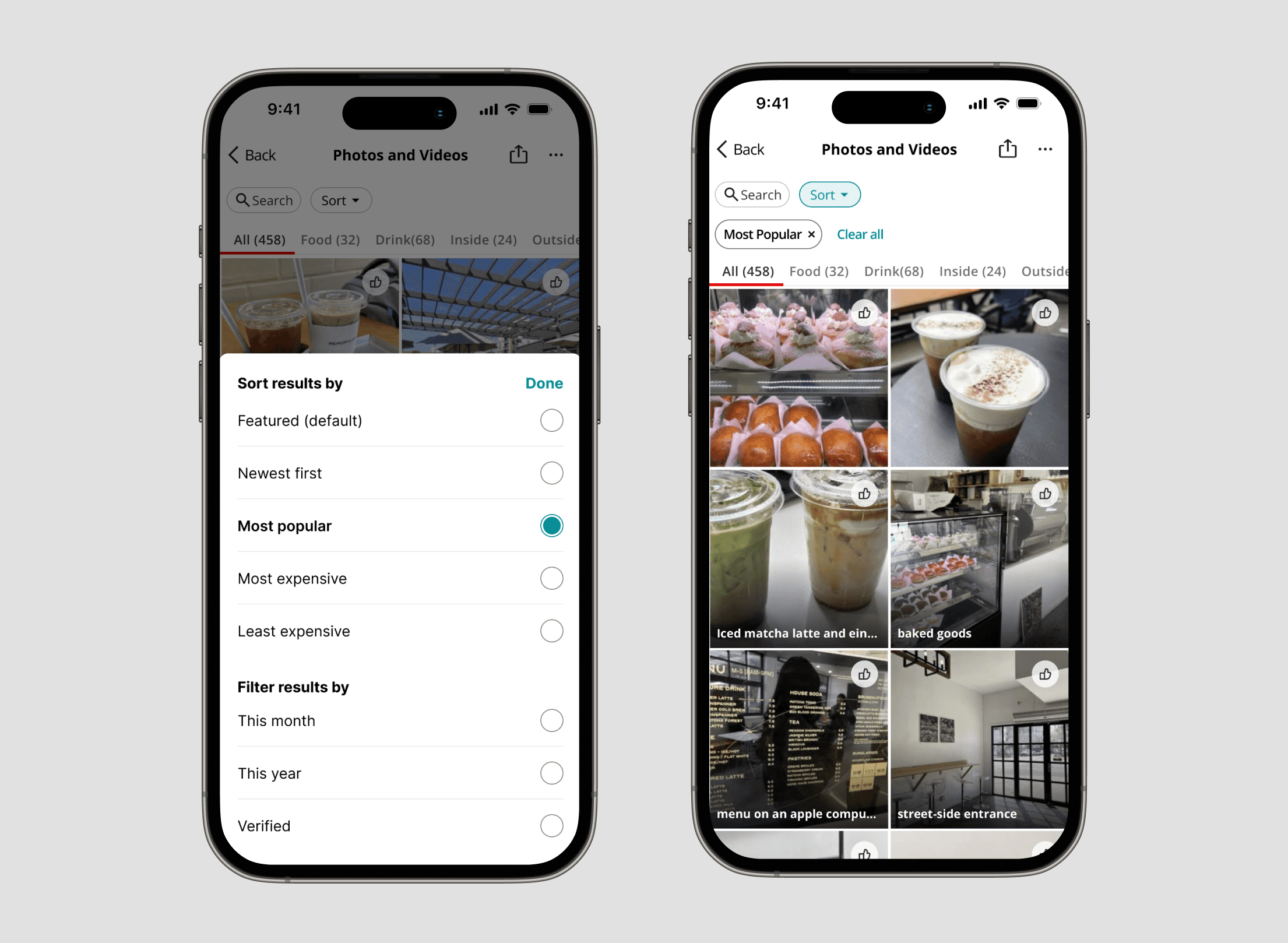
Filtering & Sorting Photos
We added filtering and sorting options so users can quickly find relevant photos instead of scrolling through hundreds of unsorted images. A "Done" button confirms their selections, giving them full control over their browsing experience.
user feedback
We conducted 6 A/B usability testing sessions, where participants interacted with both the original and redesigned prototypes to compare usability and experience. Some of the qualitative feedback we received:
"Better organization of photos helped inform decision better."
"Faster and more efficient process to leave a review and felt more inclined to because the button looked bolder."
"Was able to find information quickly and noted that it looked cleaner overall."
"Liked digitized menu a lot with categorized photos for making a decision on most appealing item."
results
The redesign achieved based on our usability study. These results demonstrate that the redesign significantly improved both efficiency and user satisfaction.
100%
Success Rate
7.82 sec
Faster Completion Times
18.13%/1.31 Points
Higher Satisfaction Rating
Iterating design
Most of our UX updates were well-received and made the app easier to navigate. However, we continued iterating based on user feedback to refine our solutions and address any remaining pain points in the experience.
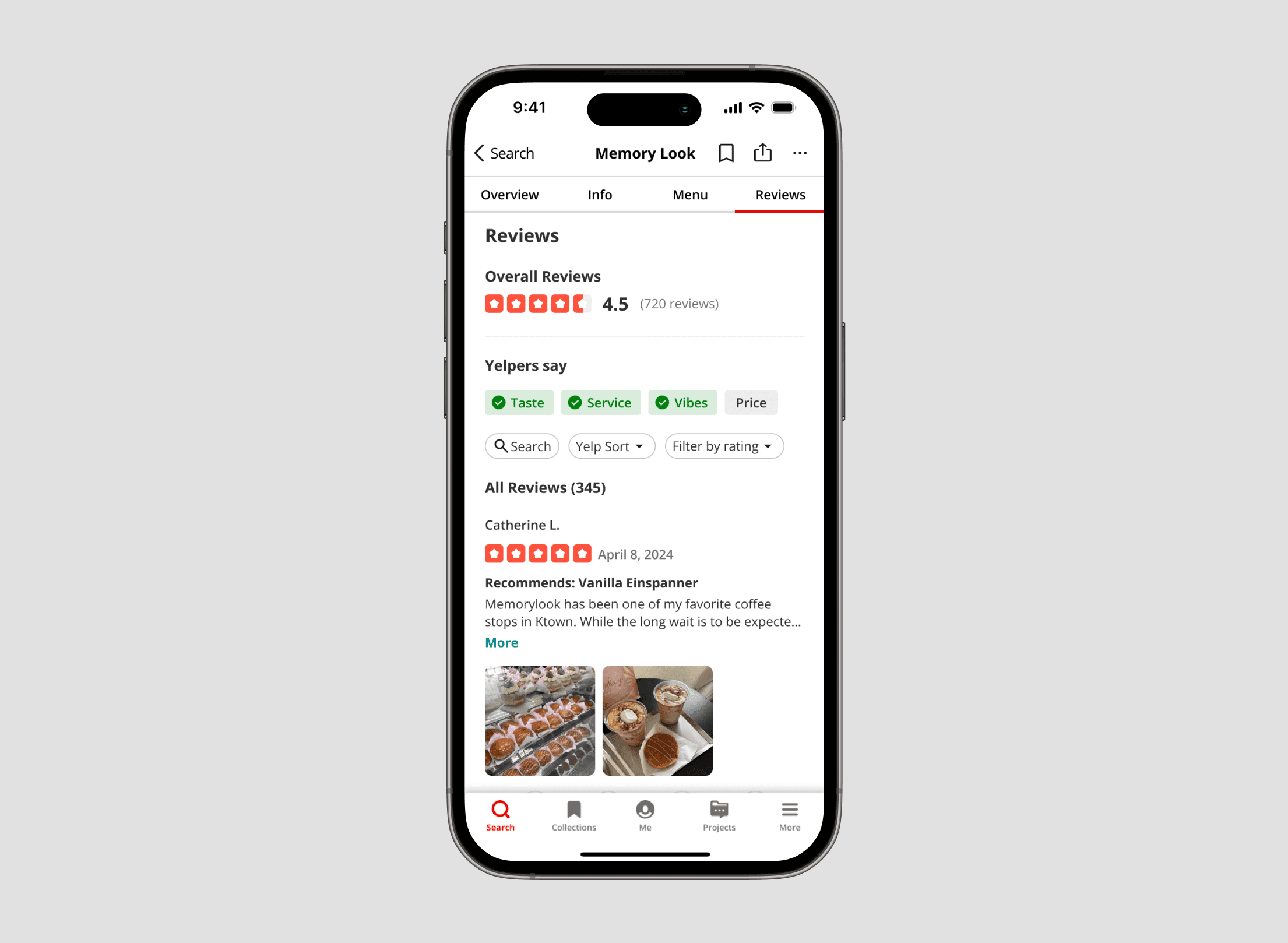
Simplifying Review Analysis
Our initial design highlighted the most positive and critical reviews with colored tags, but testing showed this confused users and introduced bias.
We pivoted to a clearer hierarchy with neutral "Yelpers say" keyword tags that surface key aspects without leading perspectives, encouraging users to explore reviews that matter most to them.
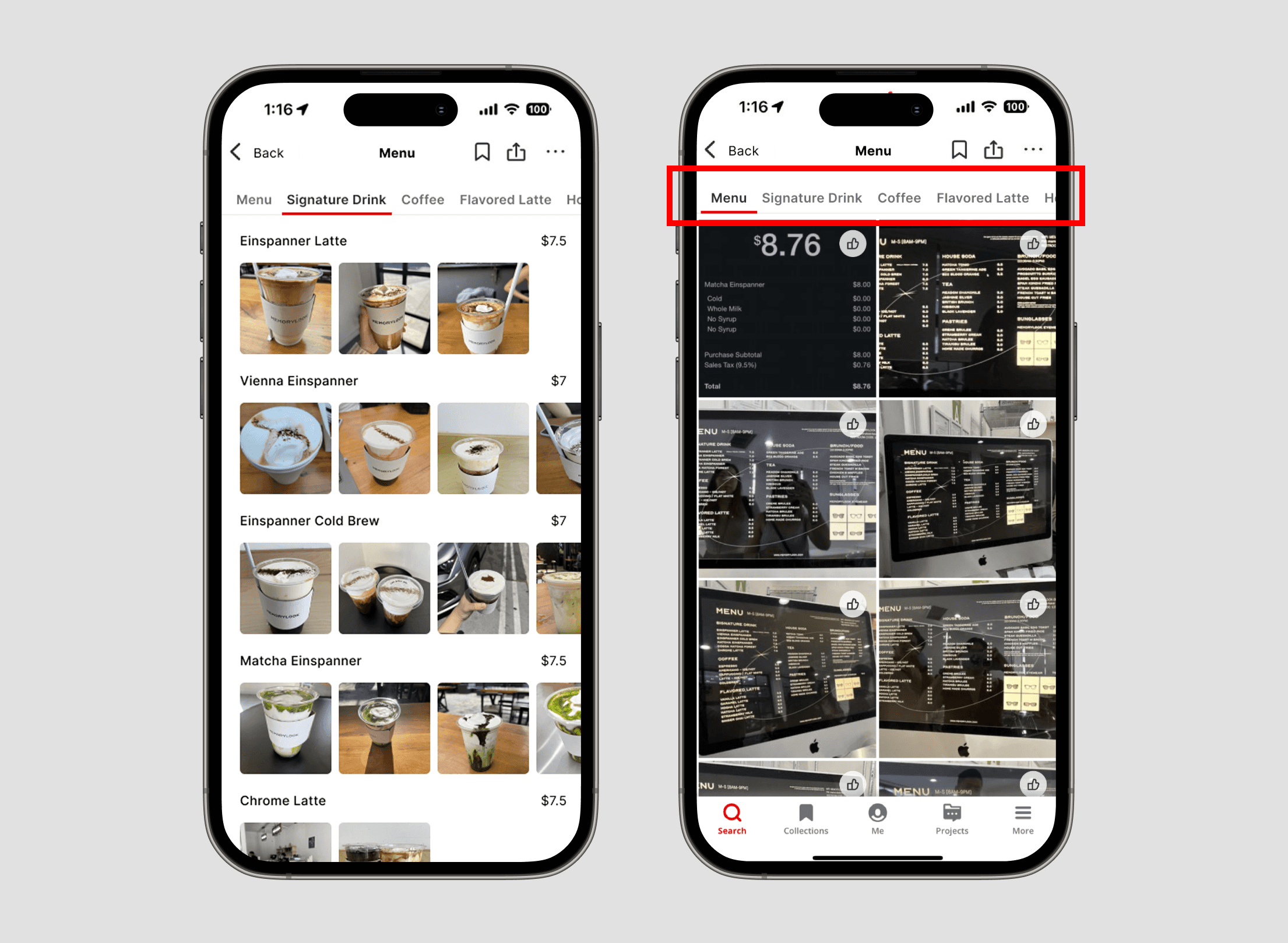
Optimizing the Menu CTA
User feedback showed photos were still valued alongside the digital menu. We created two pathways: a structured menu for quick pricing and details, and a photo gallery of real customer images. This lets users choose between browsing through organized information or visual inspiration.
results
Users gained clarity, control, and confidence.
Better Information Hierarchy
We refined spacing, font sizes, and color to prioritize key content, making it easier for users to scan and locate relevant information with less cognitive effort.
Faster Assessment
With enhanced review features, users can now assess a restaurant's strengths and weaknesses within seconds, making it easier to decide if a business matches their preferences before diving into individual reviews.
Giving More User Control
We expanded filtering options so users can navigate the app based on their specific needs, making the experience more personalized and efficient.
takeaways
There's always room to grow.
Slight UX changes can significantly improve navigation clarity.
Thoughtful word choice and giving users multiple pathways to access menu information increases their sense of control and makes navigation feel more intuitive.
Continuous user feedback is essential for identifying design gaps.
Unbiased user opinions revealed blind spots in our design and provided valuable insights into how people actually interact with the product, guiding us toward more effective solutions.

Available For Work
Made with <3 & running on a lot of caffeine
THANK YOU FOR VISITING.